One of the tasks as a Sysadmin you may need or want to do is kick out an e-mail with data that you have written in PowerShell.
I find myself doing this a lot in my day job as more tasks get automated but you still need reporting on what is happening.
I have created an E-mail Report Template that is the basis for what I use when I need to kick out e-mail reports.
You can find this template on my github here: https://github.com/paularquette/Active-Directory/blob/main/Email_Report_Template
How To Use The Script:
If you want to iterate through data, I’m using $Var3 in this template for that purpose. You can see under Global Variables & Input Files I’m creating an empty array for $Var3 ($Var3 = @())
To see this script work, you would just need to have data to iterate through and add it to a PSObject as you can see in my commented out line under “Start Script Programming”
For Example:
ForEach ($i in $computers)
{
     $computername = $i.name
     $OULocation = $i.ou
     $Var3 += New-Object PSObject -Property @{ComputerName=$computername;Location=$OULocation}
}
You can then set out your sorting of the variable for the e-mail script, which you will see commented out in the Email Section.
For Example:
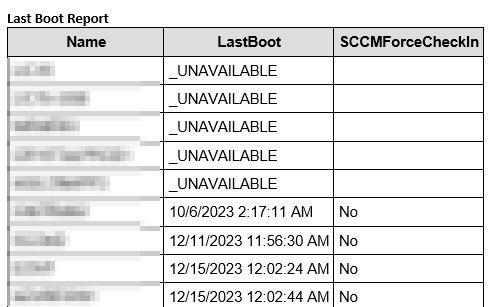
$emailResponse = $Var3 |Select-Object ComputerName,Location |Sort-Object ComputerName |Convert-To-Html -Head $styleScreenshot of a Patch Report E-mail I Use: